ar be de es fr hi it ja ko nl pl pt ru tr uk uz zh en
Shortcuts can be used in Kerfstok.
In the number input screen on the watch you can get to the shortcuts screen (on my Vivoactive 3 watch by swiping to the left). Here you see a list of labels; pressing on one of them inserts a corresponding value in the number screen. The values can be numbers or arithmetic operators in combinations with numbers e.g. *0.5 to multiply with 0.5.
Here in the setting menu you can create, remove and edit these shortcuts.
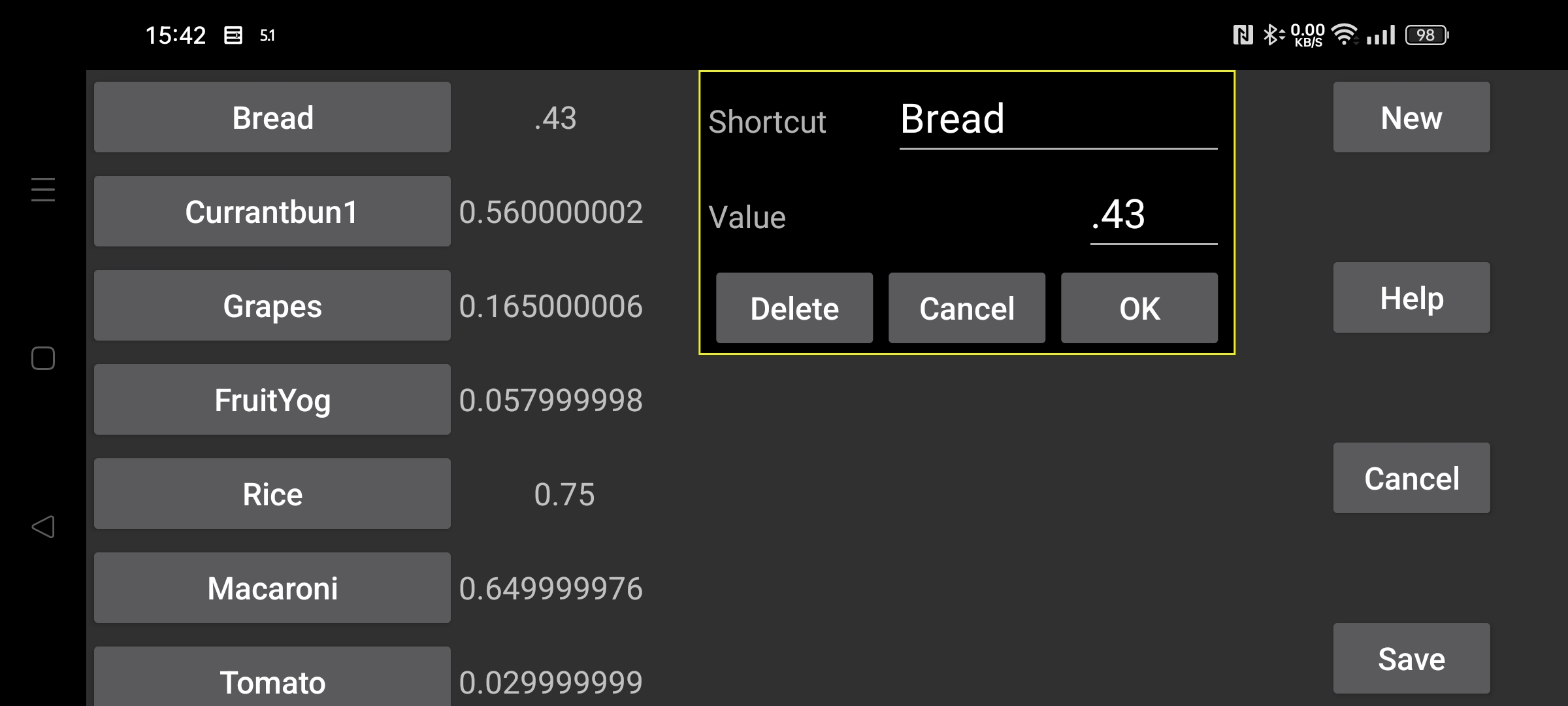
A list of existing shortcuts is displays on the left, after touching one of them, a display appears where you can delete the shortcut, or change the label or the value.
A new shortcut is created with New.
Changes are only saved after pressing the Save button.