ar be de es fr hi it ja ko nl pl pt ru sv tr uk uz zh en
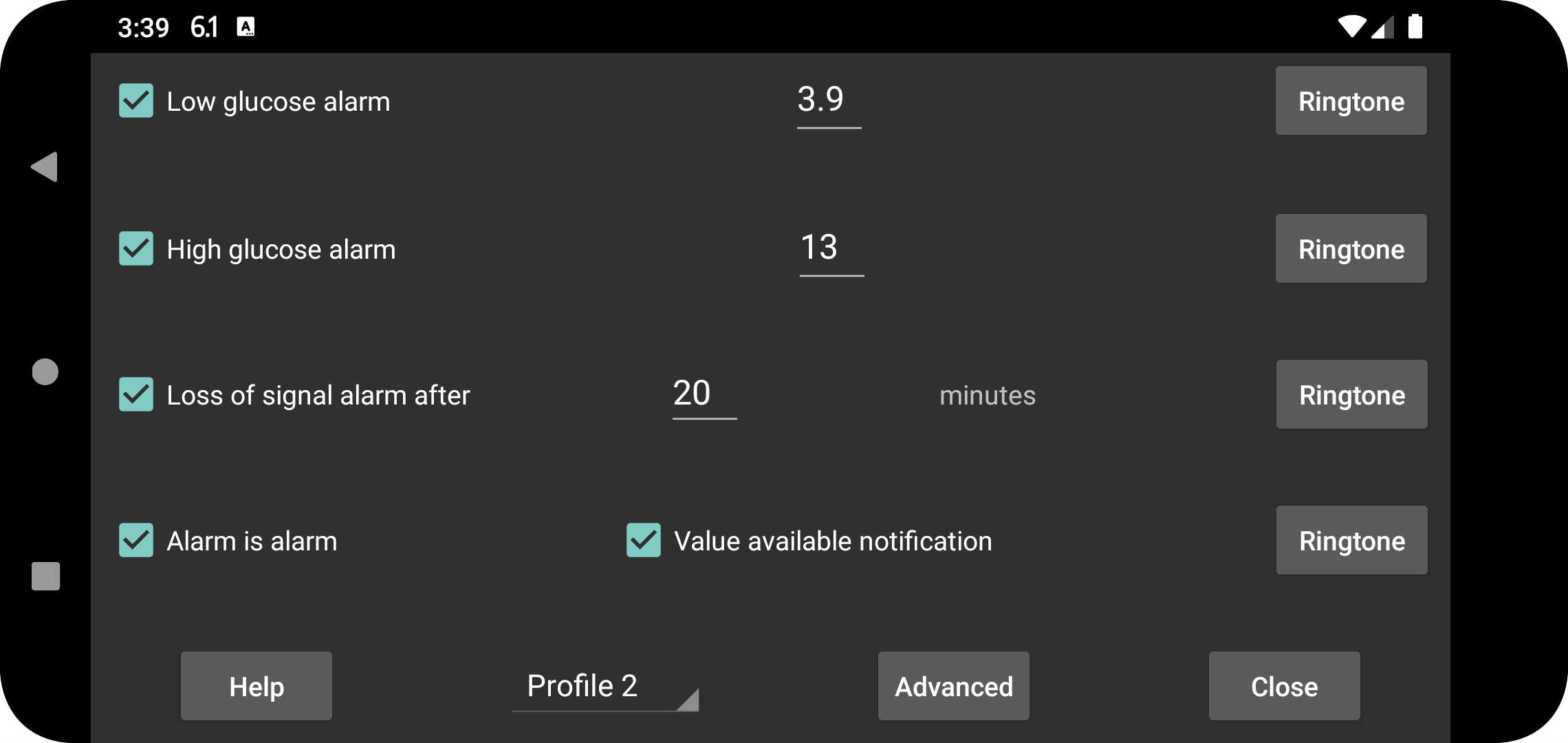
The stream values received via Bluetooth can be used to set low and high glucose alarms.
Value at and below which an alarm should go off.
Value at and above which an alarm should go off.
Specify after how many minutes an alarm should go off if no glucose value is received via Bluetooth.
Alarms will stop when one of the following conditions is satisfied:
- The specified duration has elapsed;
- The curve view is touched;
- The Android notification of Juggluco is touched (in unlocked state);
- Cancel button is touched of the alarm notification in Juggluco;
- The Floating Glucose is touched.
Sometimes the sensor stops working temporarily. With this option on, you'll be notified when it works again — but only if you have actually opened Juggluco and seen the missing value yourself. If you only noticed the gap from Juggluco's notification or watch face, the "Value available" notification will not be triggered.
For each alarm you can specify which Ringtone to play and for how long.
When “alarm is alarm” is checked, the Ringtone played for low, high and loss of signal alarms is given the Alarm sound category. This means that in Android settings its volume is managed with the Alarm slider, and it isn't silenced when the phone is muted or set to vibrate. When Notification is checked, the notification-volume slider is used on phones, and the system-volume slider on Samsung Galaxy Watch 4 to 7. This is always the case for the value available notification. When Media is checked the media-volume slider is used. On most phone media is audible during “do not disturb”, but when a headphone or earbuds are attached to the phone, the alarm sound is redirected through the headphone. The Alarm category is audible through both headphone and normal speaker. Notification is not audible at all during “do not disturb”.
Specify for which profile these settings are. This way you can change between settings for alarms and talk. You can specify a profile to be automatically turned on at a certain time under Advanced → Schedules.
Menu with advanced alarms: very low, very high, soon low, soon high and you can schedule profiles to become active at certain times.